 Synk
Synk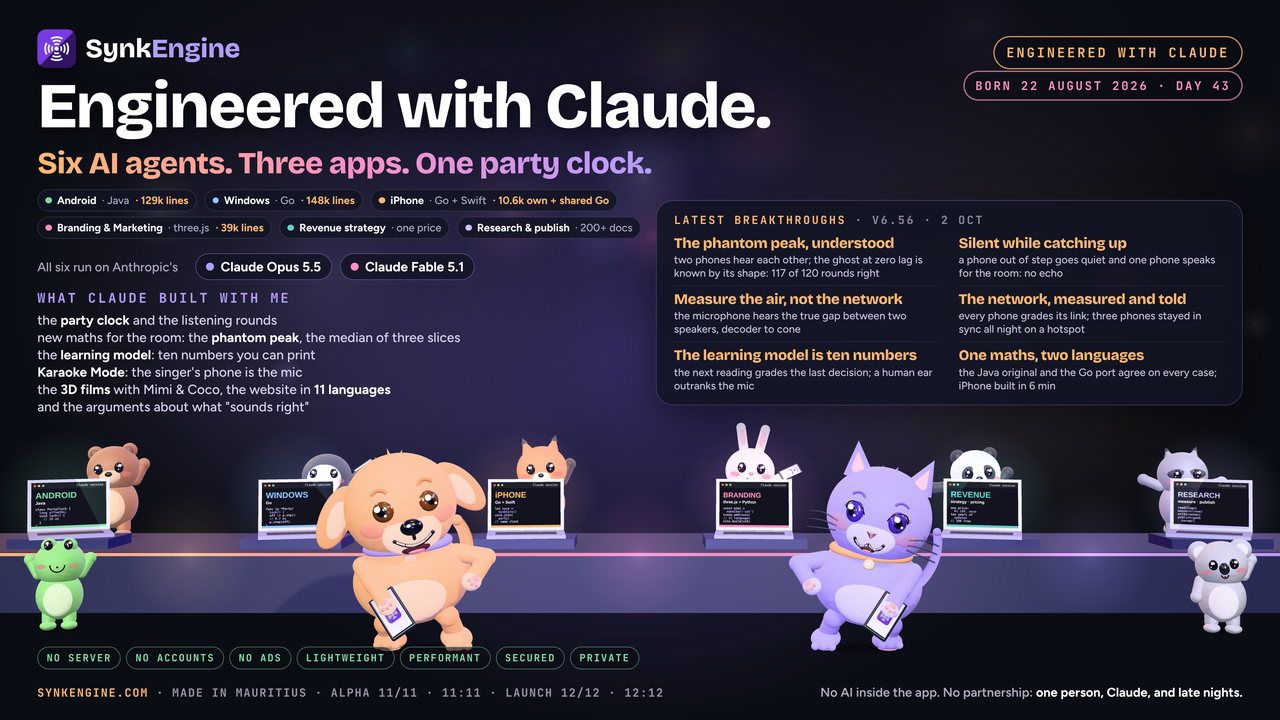
Alpha launch in
SynkEngine is live. Go and get it.
11 November 2026 at 11:11 — the first alpha testers get their download links.
Official launch 12/12 · 12:12
Android · free to try
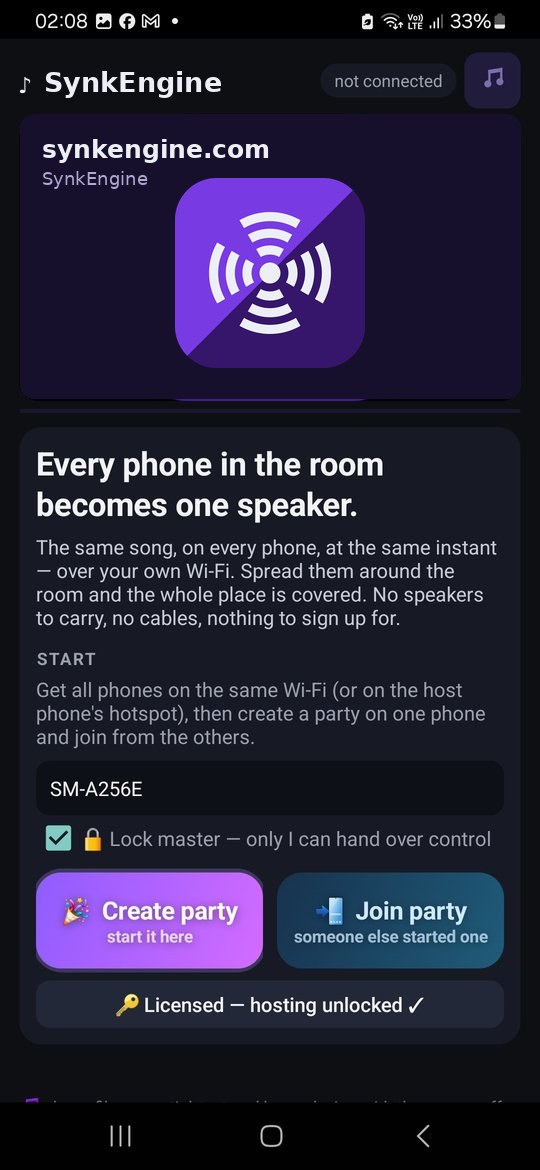
Every phone in the room becomes one speaker.
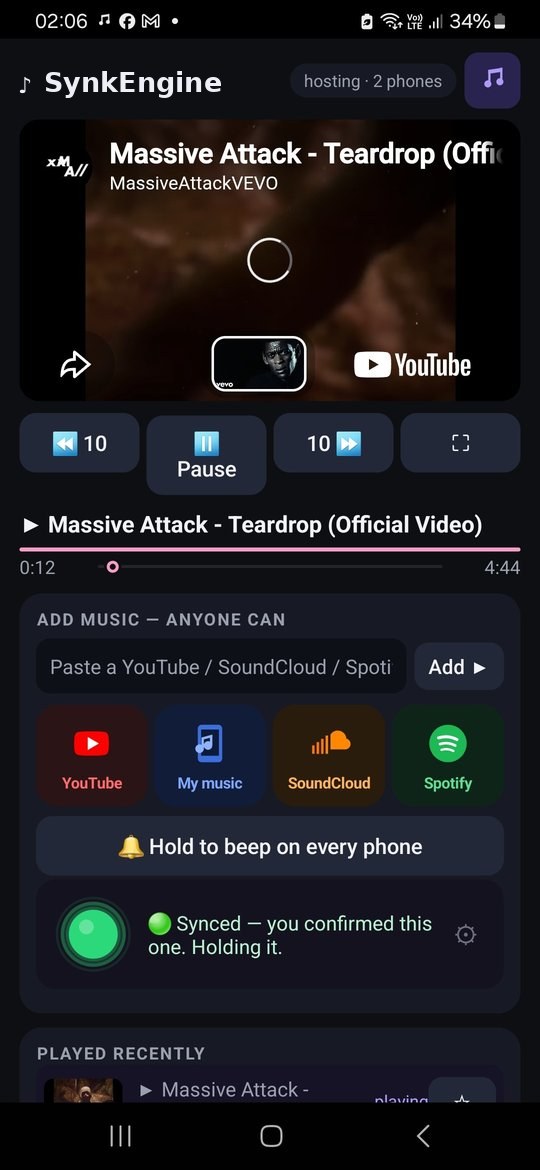
SynkEngine plays the same song on every phone at the same instant, over your Wi-Fi. Spread them around the yard and the sound follows the crowd — no speakers to carry, no cables, no accounts.
Joining a party is free forever. Hosting is free for 10 minutes — then Rs 199, once, for good.
🎉 Early bird: the first 108 requests get lifetime access free — alpha launch 11/11 · 11:11, official launch 12/12 · 12:12.
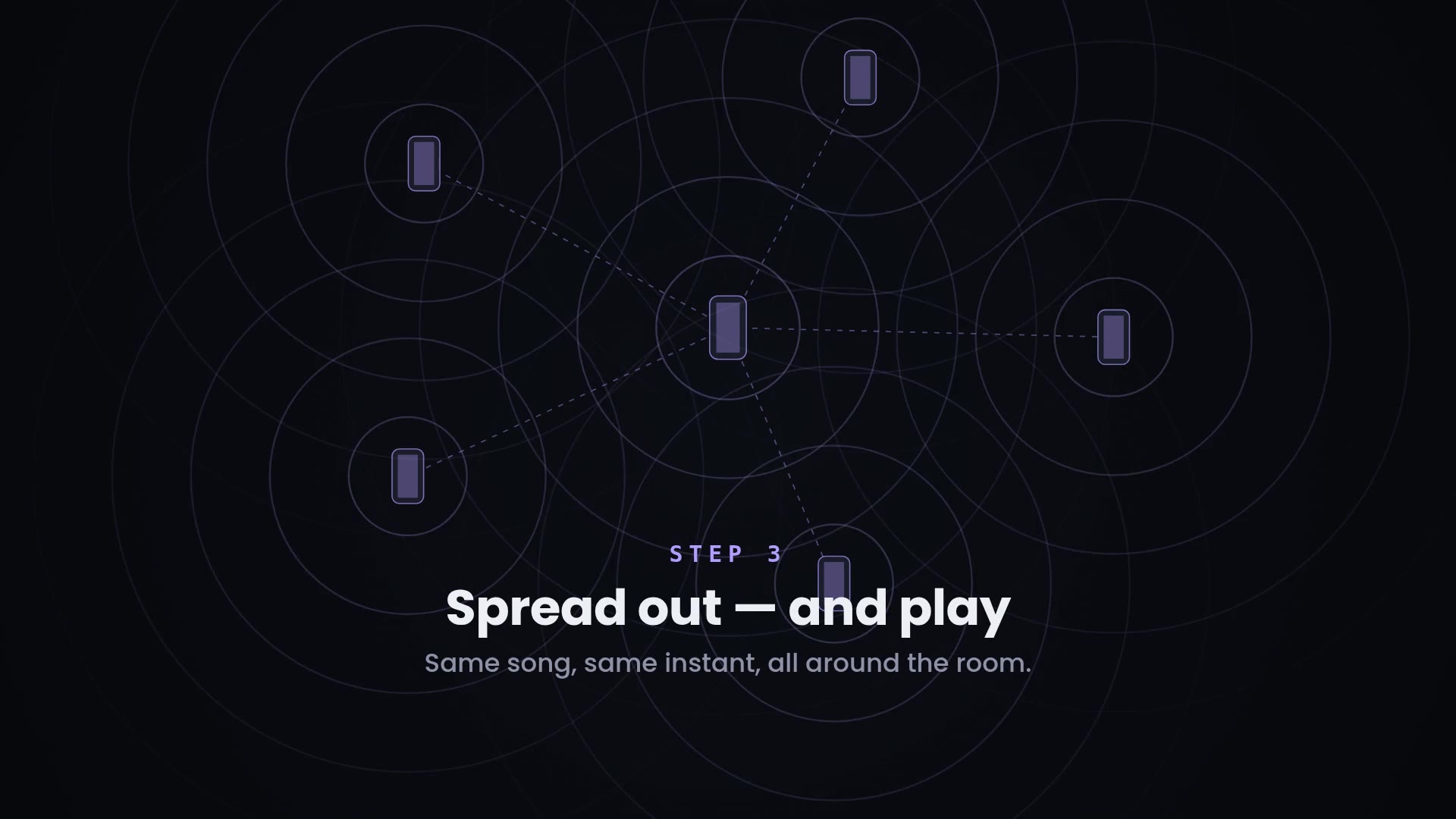
Five phones, one beat. Rings leave every speaker at the same moment.
How it works
Three taps and the whole room is playing.
Everything happens on your own Wi-Fi — or on one phone's hotspot when there's no router. Nothing is uploaded, and there is no server in the middle.
One phone starts the party
Whoever owns the music taps Create party. That phone becomes the master — it picks the songs and controls play, pause and volume for everyone.
The others join in a tap
Nearby phones see the party and tap to join, or scan the host's QR code. No sign-up, no phone numbers, no pairing.
Spread out and play
Put the phones where the people are. Every speaker fires on the same beat, and the app keeps correcting itself while the song plays.
What's inside
Built for real parties, not demos.
Your files, YouTube, SoundCloud
Share a song straight from your phone — it transfers to everyone and plays with the tightest sync. Or paste a YouTube or SoundCloud link and every phone streams it together.
Anyone can add a song
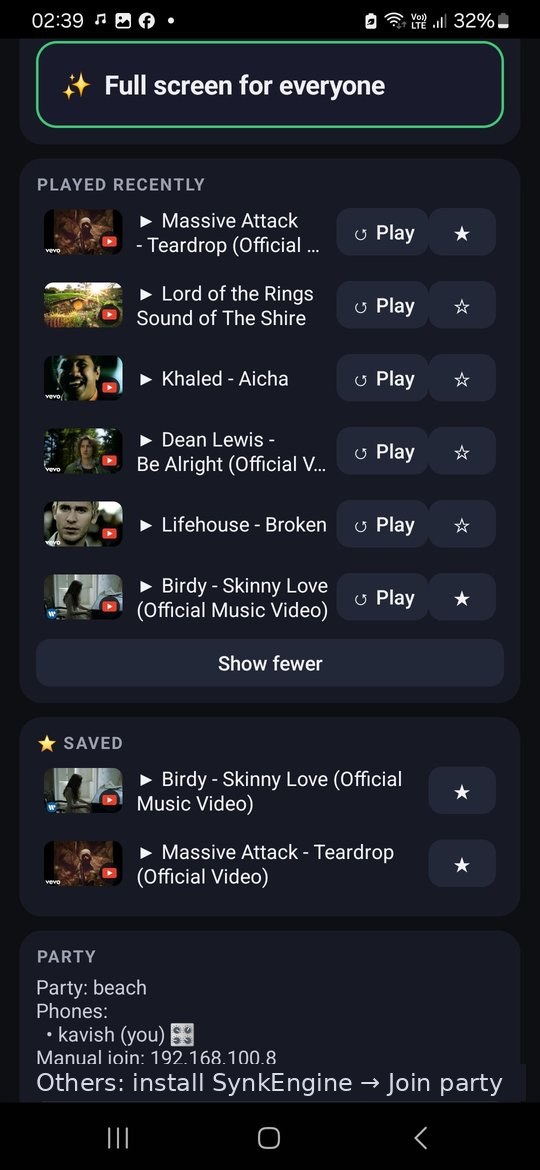
Guests queue their tracks from their own phone. The master keeps control of play, skip and volume — and can lock the role so nobody hijacks the night.
The party survives the host leaving
If the phone that started it walks off or dies, another phone takes over within seconds — same song, same position, same queue. The music doesn't stop.
Screens off, music on
Songs shared from a phone keep playing with the screen off and the app minimised, so everyone's battery lasts the night.
Turn the room up at once
The master's volume slider moves the media volume on every phone in the party — no walking around collecting handsets.
No accounts. No servers.
There is no SynkEngine cloud. Phones talk to each other directly on your Wi-Fi, and nothing about you or your music leaves the room.
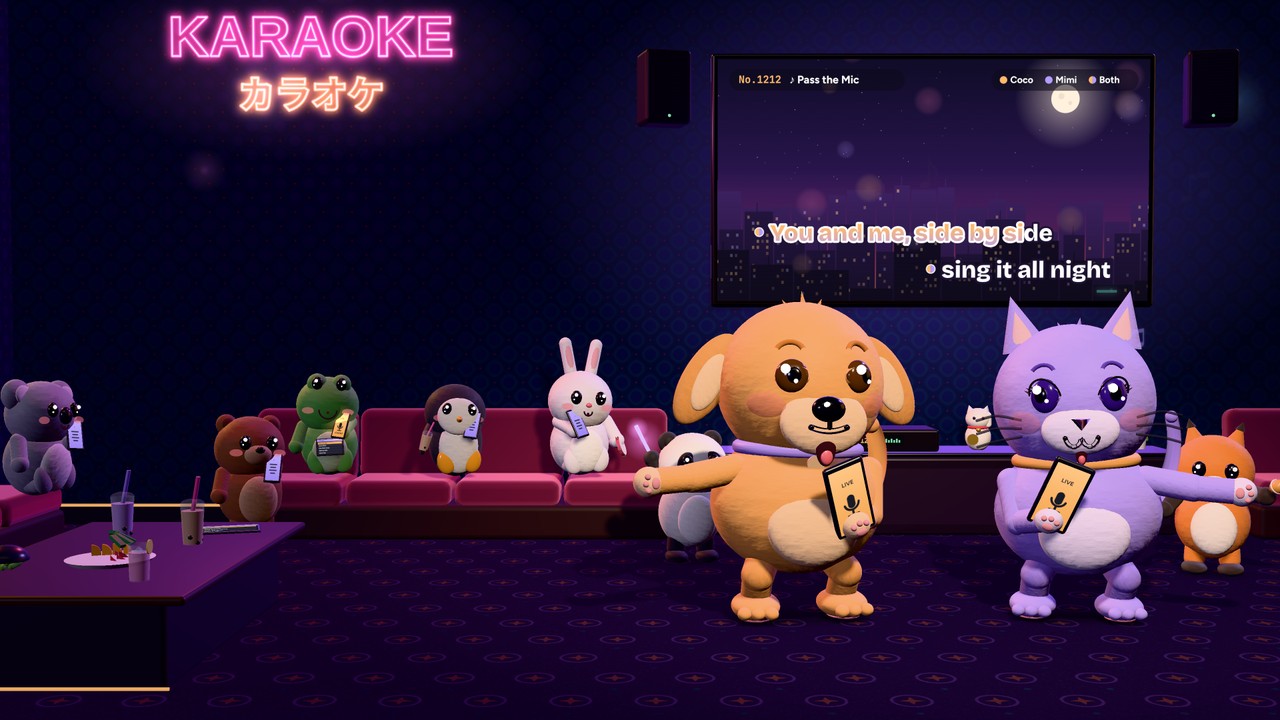
🎤 Karaoke without the screech
The mic now starts at a level that stayed howl-free in every room on our feedback test bench, and the howl guard steps in sooner if a room starts to ring. Tapping Louder lasts for your turn only.
🔈 The song in your ear, softly
While you sing, your own phone plays the song at 20 %, a moment early, so your voice lands right on the room's beat. Set it to 20, 40 or off in the singer's panel.
🙋 Everyone sees who's up next
Ask for the mic and every phone shows it. The master gets a lit bar with Give the mic or Not now, and a gentle reminder if the answer is slow.
🧸 Coco & Mimi dance your song
In a party, the pair follow the tempo the host hears: a slow sway for a ballad, the groove in between, jumps and head-bangs for a fast song. A reaction from anyone sends them wild.
🎧 Listening rounds, to the millisecond
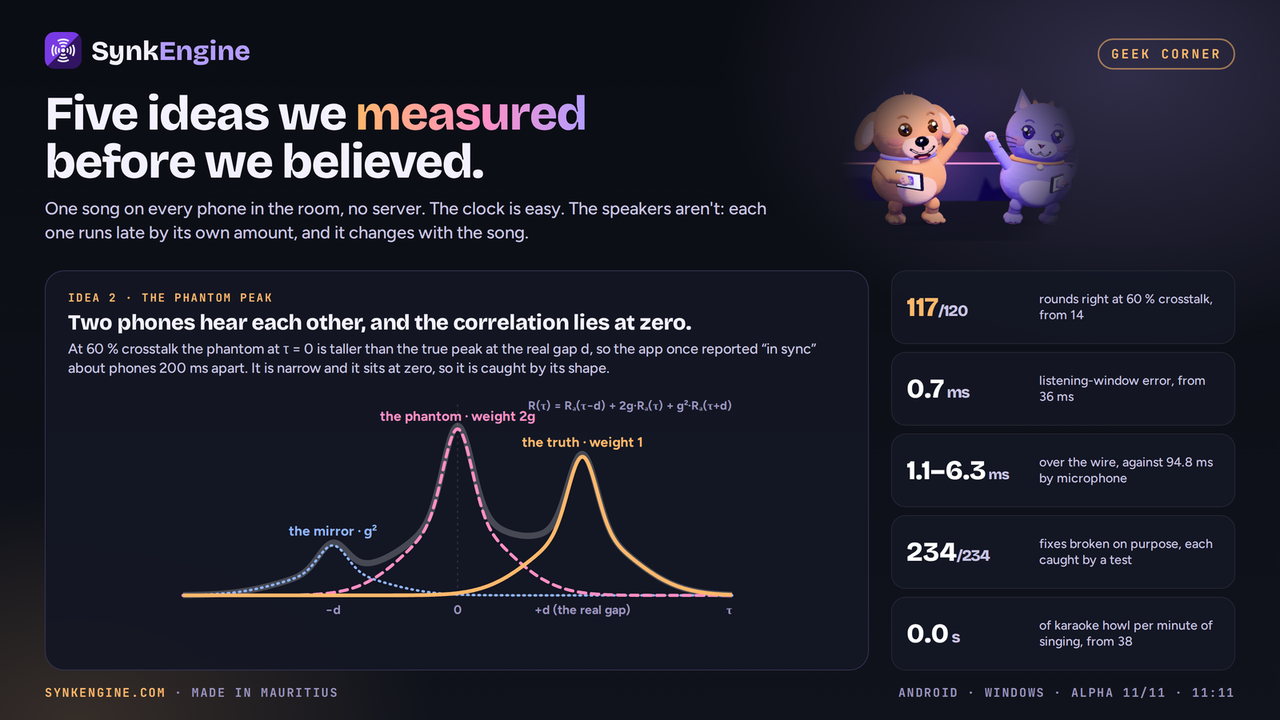
While the music plays, the phones take short listening rounds to stay lined up. Each phone now starts listening on the very millisecond the round asks for, so every round measures the gap between the phones far more precisely.
🎬 Watch movies & anime together
Tap Watch a movie together or Watch an anime together and results are on screen before you type anything — with one-tap genre chips (comedy, action, classics, kids, Bollywood; full episodes, One Piece, Naruto, Demon Slayer, Ghibli). Every phone plays the same picture and sound, in sync.
🧲 Bring phones together — one big screen
Stand two, three or four phones edge to edge and merge them: each phone renders its own slice of one wide picture, so the wall becomes a single larger screen. Sound plays from the middle panel, arrows shuffle the order to match how the phones actually stand, and every adjustment glides — no snapping, no lost sync.
🔊 Boost this speaker
A per-phone loudness boost that stays honest about physics: it cuts the sub-bass a tiny speaker can't reproduce, lifts the vocal band, and limits without clipping. A fleet trim brings the loudest phone down to match the rest — which is the real win — while the row of phones playing in step supplies the bass.
⏱ New songs lock in faster
After any track change the phones report position more often for the first stretch, so the sync solver locks the room roughly two correction cycles sooner — even a chaotic start settles in well under ten seconds, typically around six.
🎛 Activate 3D — clarity, not just volume
Turned up, a phone speaker gets muddy before it gets loud — distortion piles into the low mids while vocals and hi-hats stay buried. Activate 3D trims the mud and lifts the detail band instead, at the same energy. No reverb, no virtual surround — those would smear the exact transient the sync engine listens for.
The hard part, solved
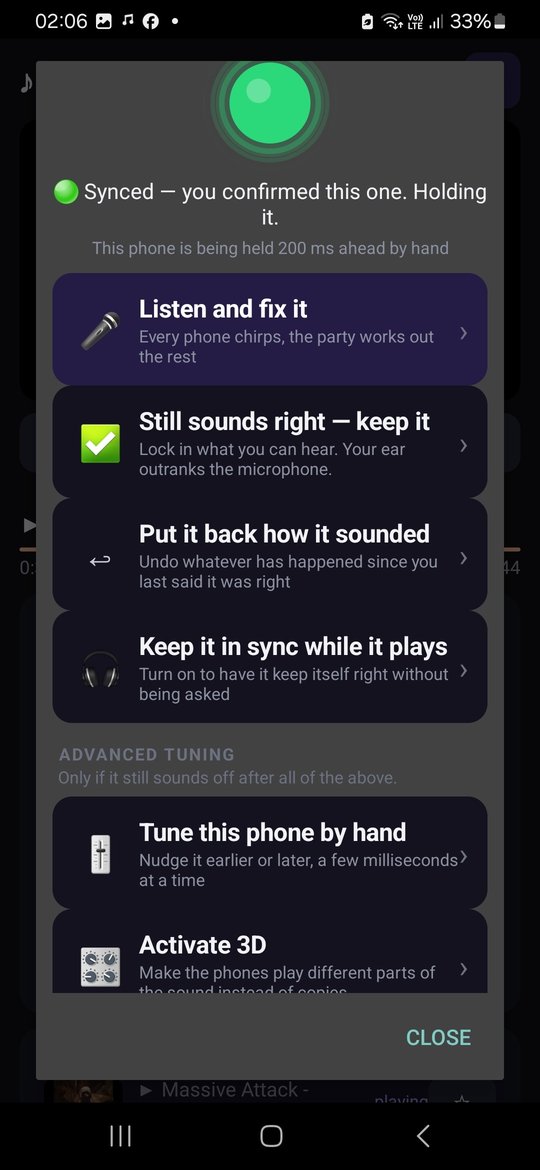
It listens, then tunes itself.
Every phone model takes a slightly different time to actually push sound out of its speaker. That's why "press play together" never works — one phone is always a beat behind.
- 01Each phone plays a short chirp on the shared clock, one after another.
- 02The master phone listens with its microphone and measures who is early and who is late — down to a few milliseconds.
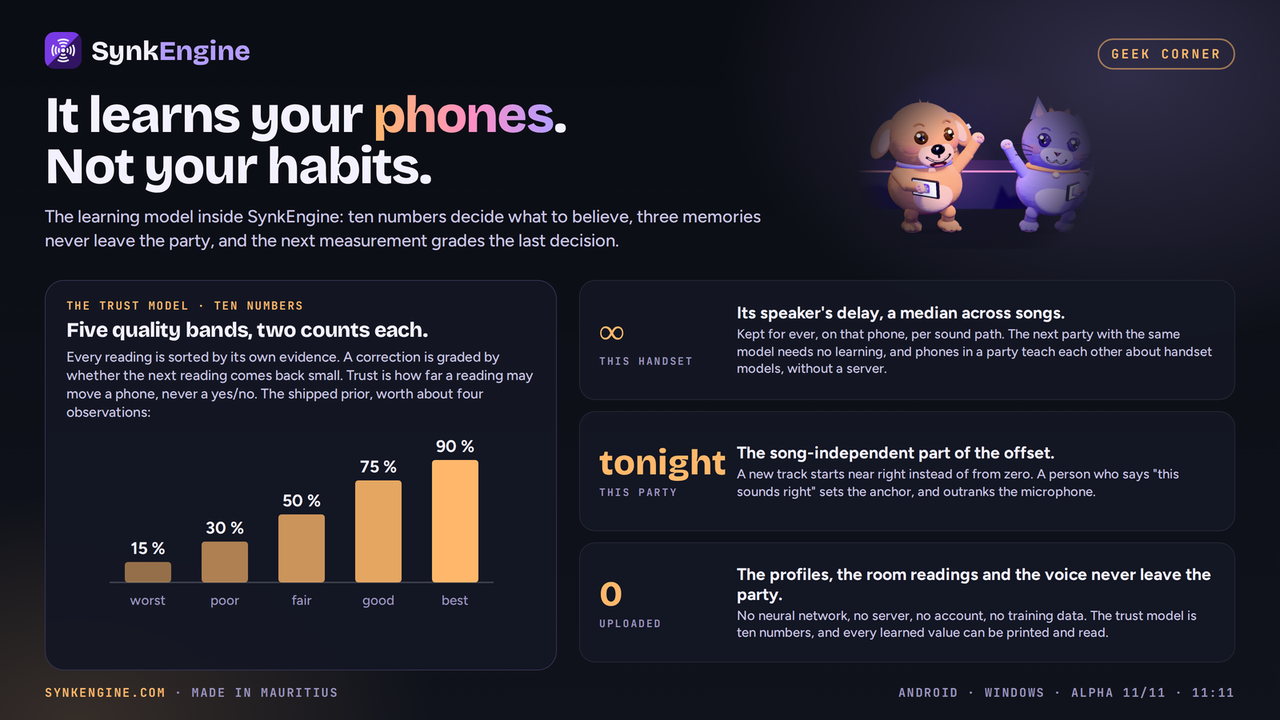
- 03It corrects every phone automatically, and remembers the result. Ten seconds, once per set of phones.
The recording is analysed on that phone and thrown away. It is never stored, and never sent anywhere.
before auto-tune → after auto-tune
See it
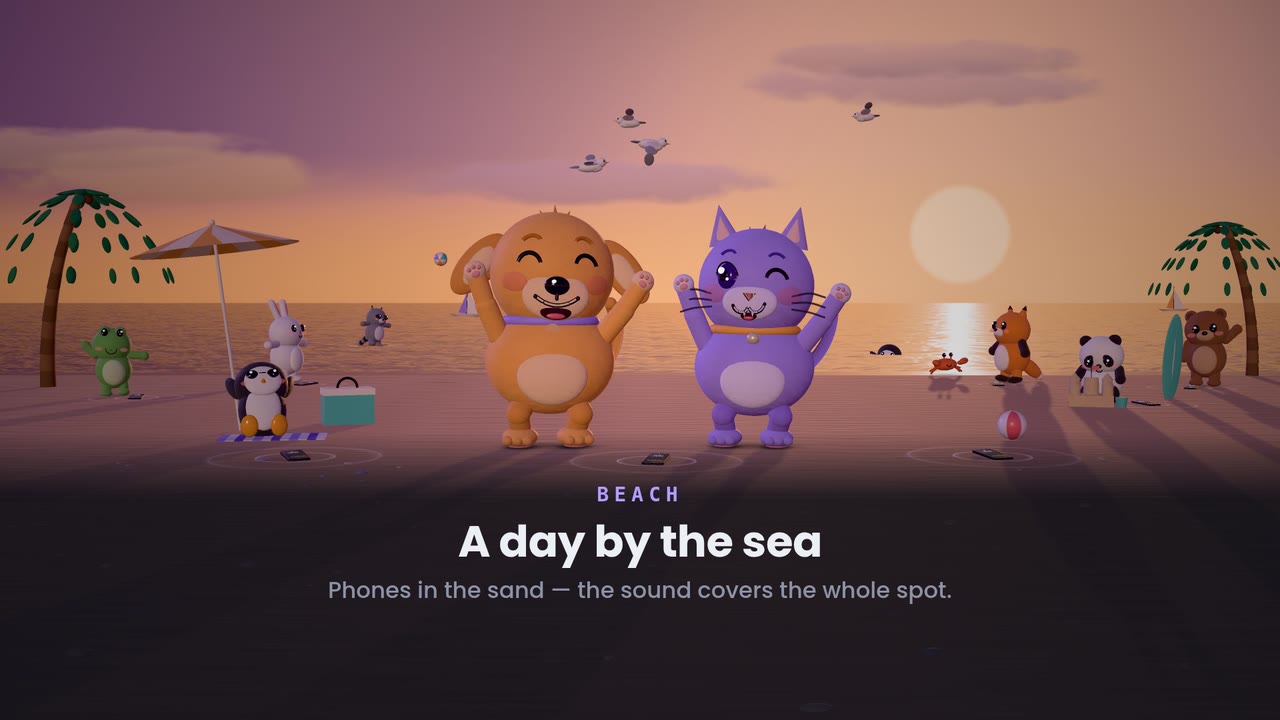
One tap, and the whole yard is playing.
The whole thing in under a minute: one phone starts a party, the others join with a tap, everyone spreads out — and every phone plays the same song at the same instant.
▶ New: Lock it, it keeps playing · 39 s, with Mimi & Coco in 3D →
▶ New: Karaoke night, your phone is the mic · 46 s, with Mimi & Coco in 3D →
Pre-launch · live now
Sign up before launch, get rewarded for it.
The alpha launches on 11 November at 11:11 — the first testers get in then — and SynkEngine launches officially on 12 December 2026 at 12:12. Everyone who requests the app before then counts as an early bird — and early birds get real rewards, not just a badge.
11/11 at 11:11 — the alpha launch
The 11/11 launch is an alpha: a small group running SynkEngine at real parties, with a direct line to me. You get the app early and free; I get the logs and the bug reports that make the 12/12 official launch solid. Ask below to be one of them.
Lifetime access, free
of 108 still free to claim
The first 108 people to request the app get hosting for life — normally Rs 199 — at no cost.
Price
One price. Pay once.
Your friends never pay anything: they join, they queue songs, they listen, free forever. The phone that starts parties unlocks SynkEngine once: Rs 199. No subscription, no hours to count, no launch discount that runs out. This is the price.
- ✓Join any SynkEngine party, any time
- ✓Add songs to the shared queue
- ✓Full sound quality and sync
- ✓Unlimited hosting on that phone, for life
- ✓Two years of updates and new features included
- ✓No subscription, nothing to renew
- –First 10 minutes of every party are free anyway
Rs 199 in Mauritius. Elsewhere, Google Play shows the price in your currency, ending in .99: about €3.99.
How to buy · in the app from 12/12 · 12:12
You buy right inside the app.
SynkEngine is unlocked inside the app, Rs 199 once, through Google Play on Android and in the Windows app, from the official launch, 12/12 at 12:12. There are no payments on this website. Until then there is nothing to pay: request the app (it's the same form as “Get the app”) and I contact every pre-registered person myself before launch. The first 108 never pay at all.
Early access · Google Play from 12/12
Ask for the app.
SynkEngine lands on Google Play at the official launch, 12/12 at 12:12. Until then it is handed out one person at a time: request it below and, once the admin team has validated and reviewed your request, you get the APK by direct link — lucky birds among the first 108 get it unlocked for life.
| Available | Google Play from 12/12 · 12:12 — before that, APK by direct link for validated alpha testers (from 11/11 · 11:11) |
|---|---|
| Latest build | 6.55 · Windows 6.54.0 |
| File | SynkEngine-v6.55.apk · 8.0 MB |
| Requires | Android 6.0 or newer · targets Android 16 (API 36) |
| Windows | Windows 10 · 11 · x64 · Arm64 |
| Permissions | Wi-Fi & network · microphone (auto-tune, listening rounds, Karaoke Mode) · notification |
| SHA-256 | sent with your download link, so you can verify the file before installing |
Once your link arrives
- Open the downloaded file on the phone.
- Android will warn that it's from an unknown source — that's normal for any app not from the Play Store. Allow it for your browser or file manager.
- Tap Install, then open SynkEngine.
- Repeat on every phone you want in the party.
2e32cb7c), and the file's SHA-256 arrives with your download link so you can verify you got exactly what was published. SynkEngine asks for no contacts, no location, no storage beyond the songs you choose to share.
Questions
Straight answers.
What is SynkEngine?
SynkEngine is an app for Android and Windows that plays the same song on every phone in the room at the same instant, over your own Wi-Fi, so all the phones together sound like one big speaker. It plays movies and anime in sync too, turns up to four phones into one bigger screen, and has a Karaoke Mode. It's made in Mauritius.
How good is the sync, really?
After running auto-tune, phones typically land within about 10 milliseconds of each other — far below what anyone can hear as an echo. Songs shared from a phone are the tightest, because every phone plays the same file locally instead of streaming it.
Does it need internet?
Not for songs shared from a phone — that works on a bare Wi-Fi network or a hotspot with no data at all. YouTube and SoundCloud do need internet on each phone, since every phone streams for itself.
Can I play Spotify?
Not directly, and no app can. Spotify's tracks are DRM-protected and only play inside the Spotify app on one device at a time; their developer terms also forbid synchronising playback across devices. What SynkEngine does instead: paste a Spotify link and it identifies the song, then finds the same track on YouTube in one tap. For the best result, share the file from your phone.
Why isn't it on the Play Store?
It will be. Getting on the store means a developer account and a rebuild against Google's newest requirements, and I'd rather have the app right first. Downloading the APK from here works exactly the same — it's the same app, signed by the same key.
Why do I have to request it instead of just downloading?
Because it's early. Handing it out one at a time means I know who's running it, I can warn you when there's a fix, and I can actually help if something misbehaves on your phone model. It's a few hours' wait, not a queue for weeks — and it won't stay this way once the app has been through enough real parties.
What if I share the app with a friend?
Please do — that's how people find it. The app is free to install and free to join parties with, forever. Your friend gets their own 10 free minutes of hosting, and their own Phone ID if they decide to buy. Licence keys are the one thing that can't be shared: each one only opens the phone it was made for.
Everyone has to buy it?
No. Only the person hosting. If you're the one who always brings the music, you unlock SynkEngine once, Rs 199, and everyone else at every party joins free.
Is it really one payment?
Yes. Rs 199 once, no subscription, no hours to top up. Two years of updates and new features are included, and the app keeps working after that. Your friends never pay.
What does it do with the microphone?
Three things, all inside your party: auto-tune (the phones play short chirps and the master phone listens to measure how late each speaker is), the short listening rounds that keep the phones lined up while the music plays, and Karaoke Mode, where the singer's phone is the mic. For timing, what the microphone hears is turned into a coarse loudness curve on the phone and the sound itself is discarded — nothing is saved. In Karaoke Mode, the singer's voice travels live over your Wi-Fi to the other phones in the party, and nowhere else. Nothing ever goes to a server.
How many phones can join?
Practically, as many as your Wi-Fi handles comfortably — a typical home router copes with a dozen easily. Auto-tune measures up to 12 phones in one round. More phones simply means more coverage.
Is there an iPhone version?
It's written and waiting on a Mac to build and submit it. The two versions speak the same language, so iPhones and Androids will share the same party. Ask to be told when it lands.
Is it “SynkEngine” or “sync engine”?
SynkEngine — one word, with a k. It's the name of this Android app, not a generic “sync engine”. If you searched for synk engine, sync engine app or synkengine app looking for the app that plays music on every phone in sync, you're in the right place.